Skip to main content
Statistics
My Course
Learn
Exam Prep
AI Tutor
Study Guides
Textbook Solutions
Flashcards
Explore
Try the app
My Course
Learn
Exam Prep
AI Tutor
Study Guides
Textbook Solutions
Flashcards
Explore
Try the app
Back
Descriptive Statistics-Excel quiz
You can tap to flip the card.
Which Excel function is used to calculate the median of a dataset?
You can tap to flip the card.
👆
Which Excel function is used to calculate the median of a dataset?
The function =MEDIAN() is used to calculate the median in Excel.
Track progress
Control buttons has been changed to "navigation" mode.
1/15
Related flashcards
Related practice
Recommended videos
Descriptive Statistics-Excel definitions
Descriptive Statistics-Excel
15 Terms
3. Describing Data Numerically - Part 1 of 2
5 topics
15 problems
Chapter
David-Paige
3. Describing Data Numerically - Part 2 of 2
3 topics
9 problems
Chapter
Jonathan
06:10
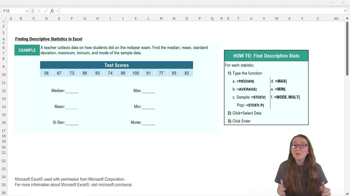
Descriptive Statistics-Excel
2
views
05:30
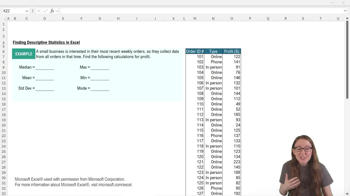
Descriptive Statistics-Excel Example 1
Terms in this set (15)
Hide definitions
Which Excel function is used to calculate the median of a dataset?
The function =MEDIAN() is used to calculate the median in Excel.
What is the purpose of the equal sign (=) at the start of an Excel function?
The equal sign tells Excel to compute or find a value using the specified function.
How do you select the data range for a function in Excel?
You click and hold your cursor on the first cell, then drag across the table to select all relevant cells.
Which Excel function calculates the mean (average) of a dataset?
The function =AVERAGE() calculates the mean or average in Excel.
What is the difference between =STDEV() and =STDEVP() in Excel?
=STDEV() calculates the sample standard deviation, while =STDEVP() calculates the population standard deviation.
How can you quickly copy a function in Excel to another cell?
You can copy the function text and paste it into the desired cell.
Which function is used to find the maximum value in a dataset in Excel?
The function =MAX() is used to find the maximum value in Excel.
How can you specify a range of cells directly in an Excel function?
You type the first cell, a colon, and the last cell (e.g., D10:O10) within the function's parentheses.
What Excel function is used to find the minimum value in a dataset?
The function =MIN() is used to find the minimum value in Excel.
Why might you use =MODE.MULT() instead of =MODE() in Excel?
=MODE.MULT() returns all modes if there are multiple, while =MODE() only returns one mode.
What happens when you use =MODE.MULT() on a dataset with two modes?
Excel will report both values as modes, listing each one found in the dataset.
What is the general format for Excel functions used in descriptive statistics?
The format is =FUNCTION_NAME(range), where FUNCTION_NAME specifies the statistic and range specifies the data.
How does Excel indicate the selected range of cells in the formula bar?
Excel shows the range (e.g., D10:O10) in the formula bar after you select the cells.
What is the result of using =STDEV() on sample data in Excel?
It calculates the sample standard deviation, which measures variability within the sample.
Why is understanding the distinction between sample and population standard deviation important in Excel?
It ensures you use the correct function for your data type, affecting the accuracy of your analysis.
 BackBack
 06:10
06:10