Ch. 6 - Inverse Circular Functions and Trigonometric Equations
Lial - Trigonometry 12th Edition
Lial12th EditionTrigonometryISBN: 9780136552161Not the one you use?Change textbook
Chapter 7, Problem 61

Use a calculator to approximate each real number value. (Be sure the calculator is in radian mode.) 
y = cos⁻¹ (―0.32647891)

Verified step by step guidance
1
Recognize that the problem asks for the inverse cosine (arccos) of the value -0.32647891, which means we want to find the angle \( y \) such that \( \cos(y) = -0.32647891 \).
Ensure your calculator is set to radian mode, as the problem specifies. This is important because inverse trigonometric functions can give results in degrees or radians depending on the mode.
Input the value into the calculator using the inverse cosine function: \( y = \cos^{-1}(-0.32647891) \). This is often done by pressing the \( \cos^{-1} \) or \( \arccos \) button, then entering the number.
Interpret the calculator's output as the principal value of the angle \( y \) in radians, which will be in the range \( 0 \leq y \leq \pi \) for the arccos function.
If needed, consider the context of the problem to determine if additional angles are relevant, but typically the principal value from the calculator is the required solution.

Verified video answer for a similar problem:

This video solution was recommended by our tutors as helpful for the problem above.
Was this helpful?

Key Concepts

Here are the essential concepts you must grasp in order to answer the question correctly.

Inverse Cosine Function (arccos)

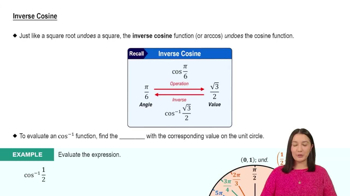
The inverse cosine function, denoted as cos⁻¹ or arccos, returns the angle whose cosine value is the given number. It is defined for inputs between -1 and 1 and outputs angles in the range [0, π] radians. Understanding this function is essential to find the angle corresponding to a specific cosine value.
Recommended video:
4:49
Inverse Cosine

Radian Mode on Calculators

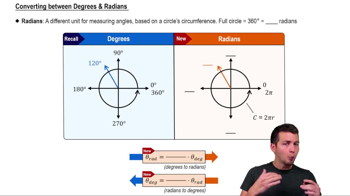
Radian mode means the calculator interprets and outputs angles in radians rather than degrees. Since trigonometric functions can use either unit, ensuring the calculator is in radian mode is crucial when the problem specifies radian results, as it affects the numerical output of inverse trig functions.
Recommended video:
5:04
Converting between Degrees & Radians

Domain and Range of Cosine and Arccosine

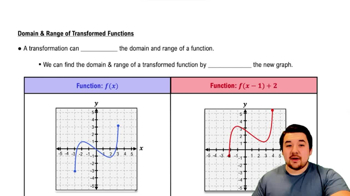
Cosine values range from -1 to 1, so the input to arccos must lie within this domain. The output of arccos is restricted to [0, π] radians, representing angles in the first and second quadrants. Recognizing these limits helps verify valid inputs and interpret the resulting angle correctly.
Recommended video:
4:22
Domain and Range of Function Transformations